
Swift CSV

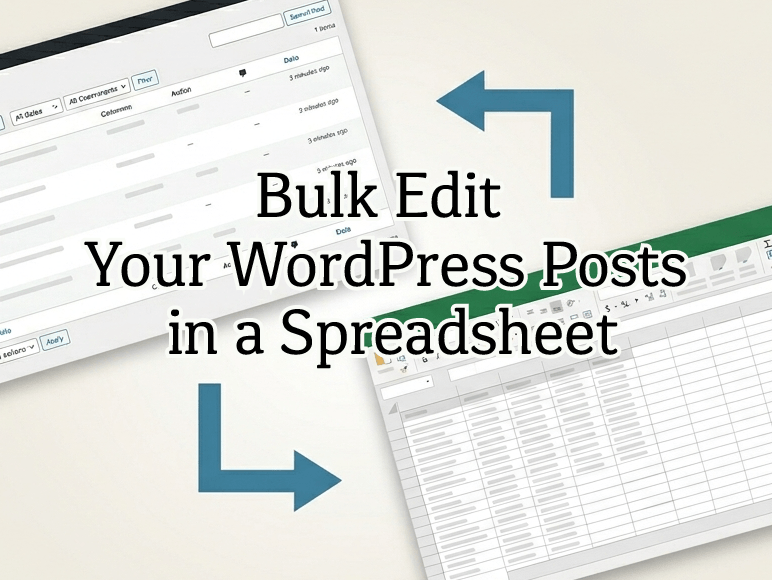
No More Struggling with CSV Import and Export on WordPress.
Swift CSV is a simple, high-speed CSV import and export plugin for WordPress. It fully supports posts and pages as well as custom post types, custom taxonomies, and custom fields. Advanced Custom Fields (ACF) is also supported (Pro edition only). It takes over all the tedious work for site operators, development agencies, and e-commerce managers who deal with massive amounts of data.



Sound Familiar?
- ▶️ You need to migrate data from another system to WordPress, but the import just won’t work properly
- ▶️ You’re using custom post types, ACF, or similar features, and existing CSV plugins don’t have the functionality you need
- ▶️ You want to intuitively edit multiple categories and terms in a spreadsheet
- ▶️ You’re managing tens of thousands of products or articles, and the process keeps stalling due to timeouts or errors
- ▶️ When you export Gutenberg (Block Editor) posts, the block structure breaks
- ▶️ You need a tool with a clean, straightforward interface that you can hand off to clients
Swift CSV was built to solve exactly these kinds of real-world frustrations—a lightweight CSV tool that actually works in production.
What Swift CSV Can Do
Bulk-Edit WordPress Post Data in a Spreadsheet
Export and import post data in CSV (comma-separated) format, organized by post type.
In addition to standard posts and pages, Swift CSV supports any custom post type—products, real estate listings, job postings, announcements, articles, and more. Simply select the target post type from the WordPress admin dashboard, export the data, and bulk-edit it in Excel or Google Sheets.
Fast Export Time
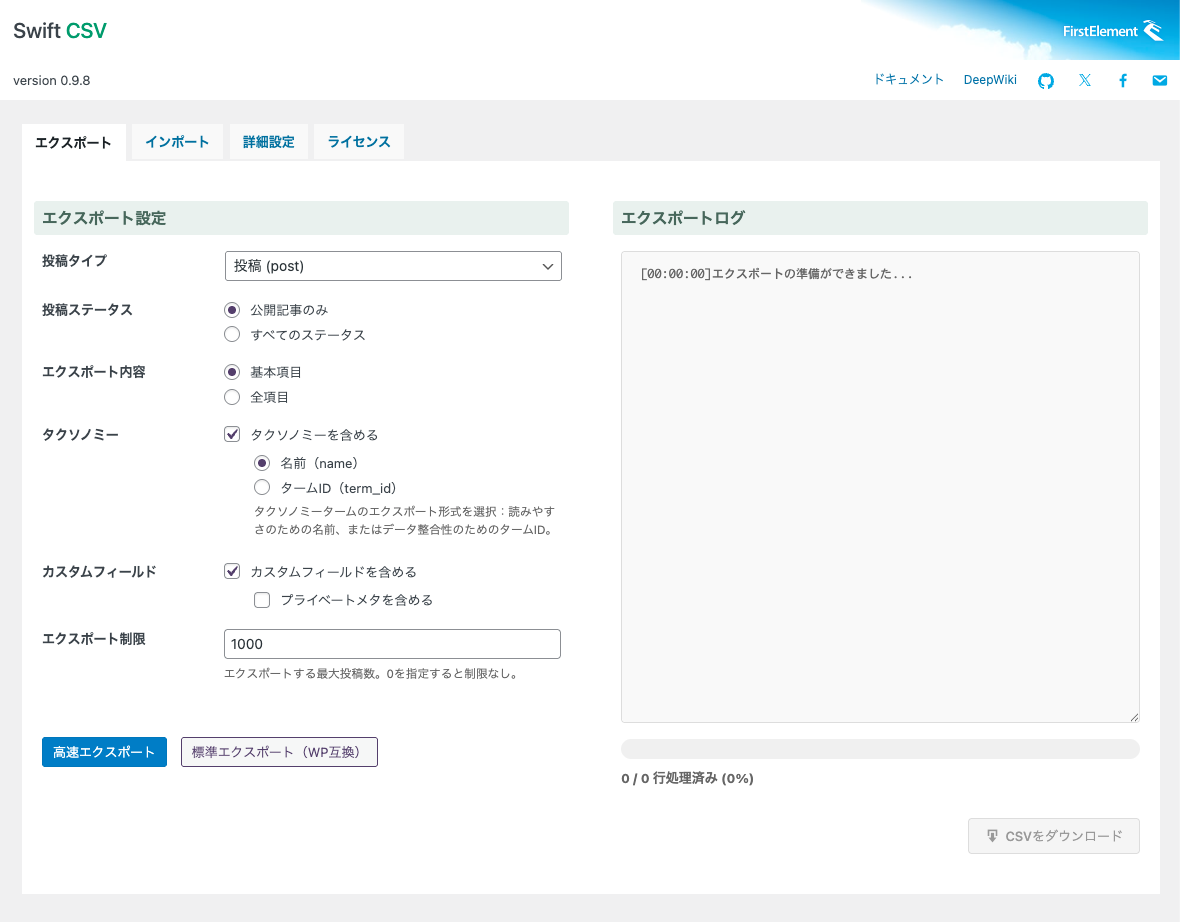
The export function enabling high-speed processing of around 10,000 records in approximately 10 to 15 seconds.* The “Standard Export” button, on the other hand, uses native WordPress functions, ensuring that processing hooks from other plugins are applied as expected. Choose whichever mode best fits your needs.
*Based on a configuration with approximately 5 custom taxonomies and 20 standard WP custom fields.
Hierarchical Categories Output with > Separator
Hierarchical categories and custom taxonomies are output within a single cell using the greater-than sign as a delimiter. (Example: Prefecture > Kanto > Tokyo)
Multiple Categories Output with | Separator
Multiple categories, tags, or terms are output within a single cell using the pipe character as a delimiter. (Example: Tokyo | Kanagawa | Chiba)
Output by ID or Name
Categories and taxonomies can be imported and exported using either term IDs or names. Outputting by name makes spreadsheet editing more intuitive, while outputting by term ID helps prevent registration errors caused by inconsistent naming.
During import, if the CSV data contains values that do not exist in WordPress’s registered taxonomies, they will be created as new terms. (Note: under the current specification, slugs cannot be specified separately and will default to the term name.)
| Output Format | Category Structure | Output |
|---|---|---|
| Name | United States (term_id=1) └ West Coast (term_id=5) └ California (term_id=17) └ Oregon (term_id=21) └ Washington (term_id=33) | United States > West Coast > California | United States > West Coast > Oregon | United States > West Coast > Washington |
| Term ID | Same as above | 1> 5 > 17 | 1 > 5 > 21 | 1 > 5 > 33 |
No Tedious Column Mapping for Custom Fields
Standard WordPress custom fields are exported with a cf_ prefix added to their keys. Multiple values are output within a single cell using pipe delimiters. On import, the prefix is stripped and the data is stored under the original key/value pairs. Since the column headers in the CSV are used directly as custom field keys, there is no need for tedious column mapping. Even custom field entries that do not yet exist in the database can be registered as new fields simply by adding the cf_ prefix to the header column—no need to create custom fields in WordPress beforehand.
| CF Type | Key | Value | Output Header | Output Value |
|---|---|---|---|---|
| WP Standard | price | 5000 | cf_price | 5000 |
| WP Standard | color | Red, Blue, Yellow (multiple values registered under the same key) | cf_color | Red | Blue | Yellow |
Advanced Custom Fields Support (Pro)
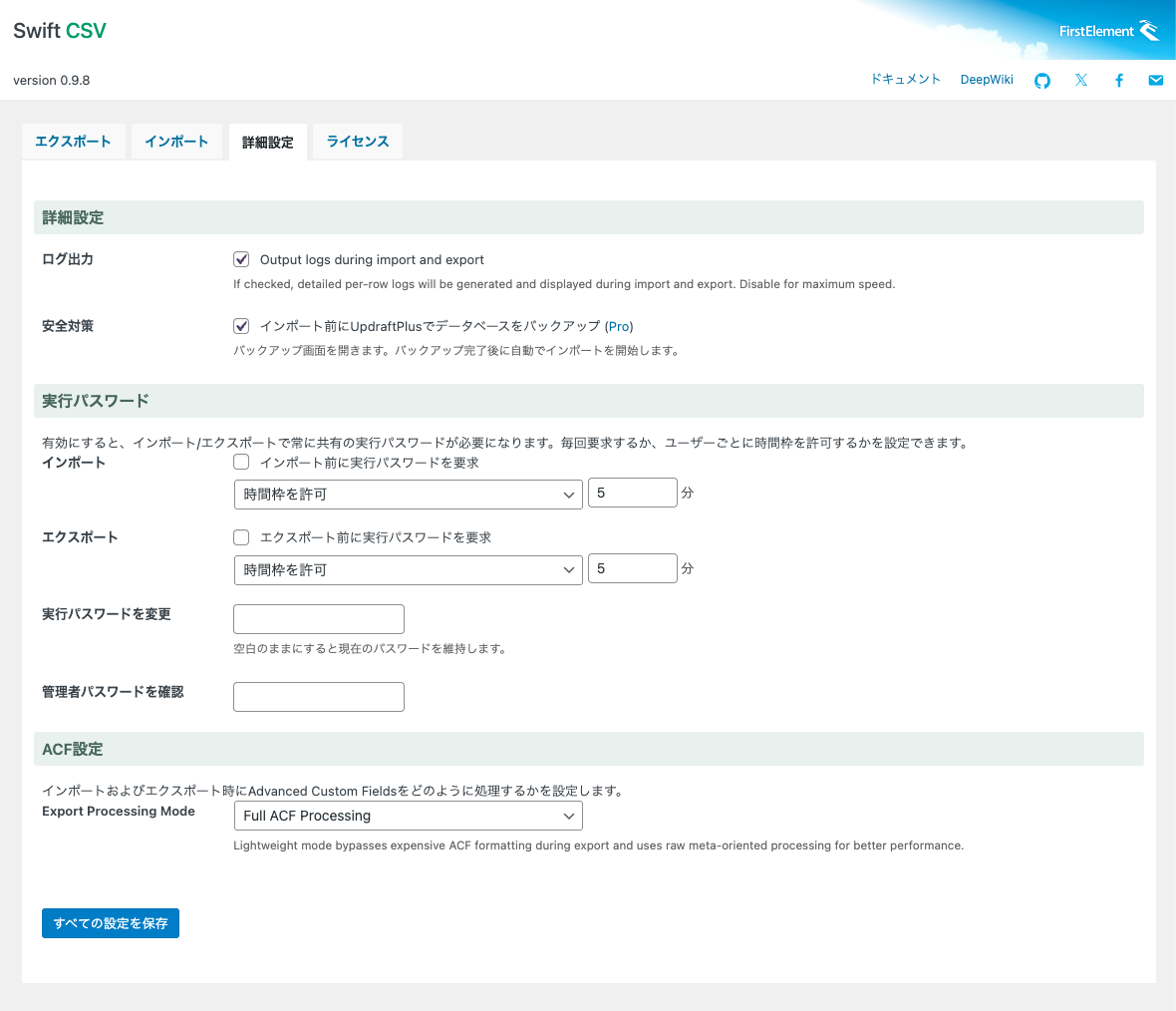
Advanced Custom Fields (ACF) entries are similarly exported with an acf_ prefix, and values are processed correctly according to each ACF field type. Multiple values are output using pipe delimiters. Two export modes are available: a compatibility-focused mode (which converts taxonomy term_ids to names, among other adjustments) and a speed-focused mode (which keeps term_ids as-is, among other optimizations).
| CF Type | Field Name | Value | Output Header | Output Value |
|---|---|---|---|---|
| ACF Checkbox | jobtype | Administrative (term_id=7), Sales (term_id=15) (multiple values registered under the same field) | acf_jobtype | Administrative | Sales |
UpdraftPlus Integration (Pro)
When UpdraftPlus (a backup plugin) is installed, initiating an import will trigger a backup popup. Once you manually run a database backup, the import will execute automatically upon backup completion.
Should any issues arise with the imported data, you can use UpdraftPlus to restore the database to its pre-import state
User Role Permissions (Pro)
In addition to Administrators, you can grant export/import privileges to Editors as well.
Execution Password Protection (Pro)
You can set a shared password required for export/import operations, as well as require re-entry of the user’s login password. This helps reduce the risk of data leaks or accidents caused by unintended export/import operations.
Log Output and Testing

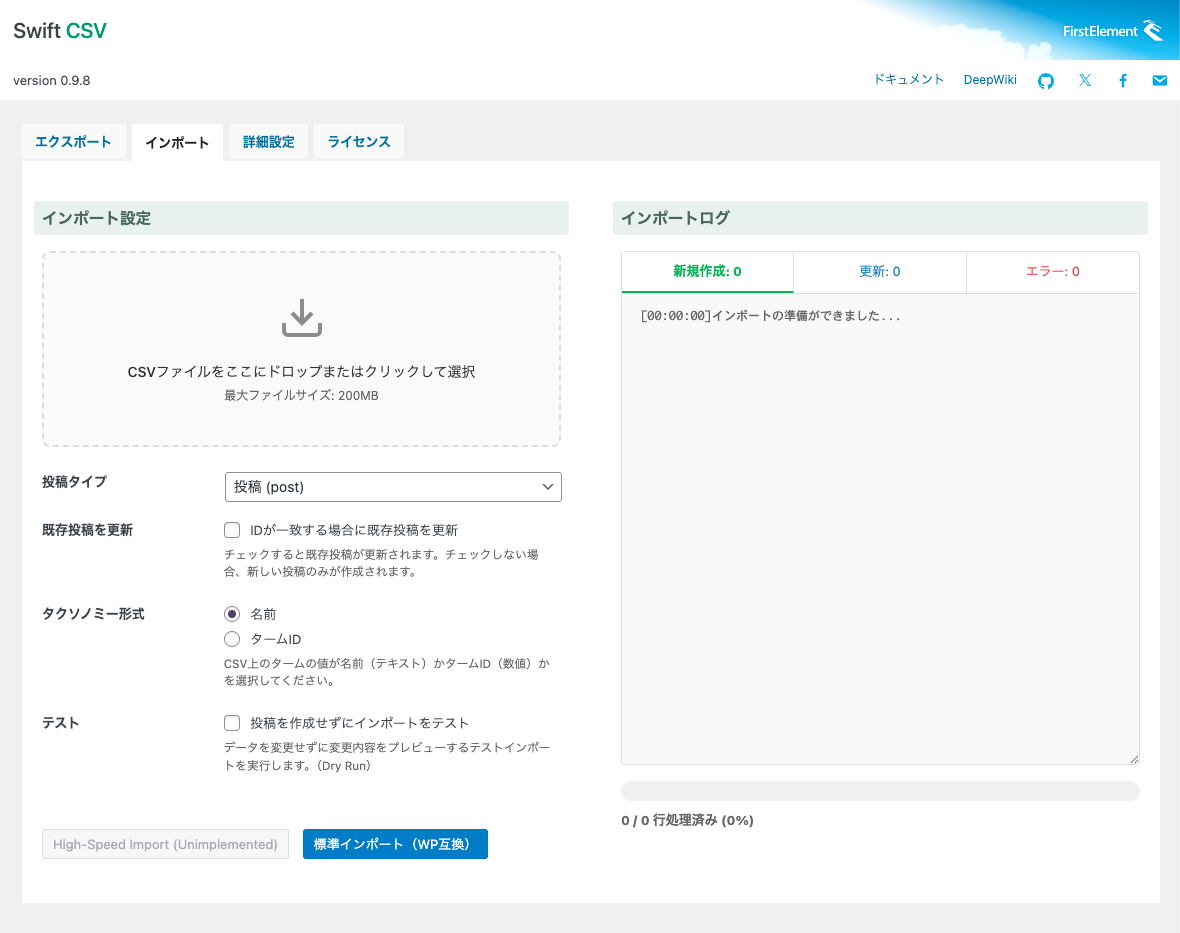
Both export and import operations can generate a summary log upon execution. Additionally, a Dry Run feature lets you test an import without modifying any data, allowing you to verify that the data format is correct before committing changes.
Preserves Block Editor Layouts
Pages built with the Block Editor (Gutenberg) can be exported and imported with their block structure fully intact.
Even complex landing page layouts and carefully crafted content pages can be migrated or duplicated to other sites seamlessly.
Dynamic Batch Processing for Large CSV Files
Swift CSV supports batch processing, splitting large datasets of tens of thousands of posts into smaller chunks to avoid server timeouts. No more frustration from a process stalling midway and having to start over from scratch. Batch size is automatically optimized based on your server’s configuration, maintaining stability while processing faster on servers with higher execution time limits (max_execution_time).
Japanese-Ready & Mobile-Friendly Admin Interface
The settings interface is fully localized in Japanese. The admin interface features a clean, intuitive UI with a responsive design that works comfortably on smartphones and tablets.
It’s user-friendly enough to hand off directly to in-house staff or clients without any explanation needed.
Automatic Plugin Updates
When new features or improvements are released, you can update with a single click from the plugin list. Automatic updates are also supported.
Always stay up to date and use the plugin with confidence.
Flexible Customization via Hooks
A comprehensive set of practical filter and action hooks is built in, enabling customizations such as the following (examples):
- Customize which database fields to export and their column order, on a per-column basis
- Filter exported posts using WP_Query parameters
- Apply custom processing to custom taxonomy and custom field import/export
- Generate detailed logs
- And more
The settings interface is simple and intuitive—yet the depth of customization available through hooks makes it remarkably powerful under the surface.
Detailed Execution Log Export (Planned for Pro)
Export a complete record of import and export operations in CSV format. Keep detailed logs of which posts were processed, what data was updated, and whether any errors occurred—available for review at any time. Useful as an audit trail for large-scale data migrations or as investigative material when troubleshooting issues.
AI (LLM) Security Check (Planned for Pro)
Before import, AI automatically scans your CSV data to detect suspicious code or unexpected structures. This helps prevent SQL injection and malicious script insertion before they can cause harm, allowing you to import data with greater confidence. The risk of data corruption due to human error is also significantly reduced.
(AI can make mistakes. Please use this as a supplementary tool and always make final judgments yourself.)
Who Is Swift CSV For?
- WordPress site operators running e-commerce sites, real estate listing sites, job boards, and similar data-heavy sites
- Anyone managing a site with a large volume of content
- Development agencies and freelancers looking to migrate data from existing systems to WordPress
- E-commerce managers who want to maintain WooCommerce product and inventory data via CSV
- Developers who want to propose a workflow where clients update content themselves using CSV
- Anyone already using another CSV plugin but hitting its limits with custom post types and custom fields
Common Use Cases
- Bulk-migrating posts from an old site to a new site during a redesign
- Copying product data and content from a staging environment to production
- Monthly bulk updates of product information via CSV (price changes, inventory adjustments, description edits, etc.)
- Duplicating base data to a separate language site in a multilingual setup, then translating from there
Easy to Set Up, Easy to Use
- Install and activate the plugin on WordPress
- Select “Export” or “Import” from the “Swift CSV” menu added to the admin dashboard
- Choose the post type and options, then click the button—that’s it
- No tedious column mapping required on import
Core Functionality Available as Open Source
The core of Swift CSV Pro—”Swift CSV”—is open source and available on GitHub. The basic features are free for anyone to use. Swift CSV Pro builds on this foundation with additional features designed for professional workflows.
Feature Comparison
| Feature | Swift CSV(Free) | Swift CSV Pro |
|---|---|---|
| Export | ||
| Posts and Pages | ✅ | ✅ |
| Custom Post Types | ✅ | ✅ |
| Custom Taxonomies | ||
| — Output On/Off | ✅ | ✅ |
| — Toggle term_id/name | ✅ | ✅ |
| Custom Fields | ||
| — Output On/Off | ✅ | ✅ |
| — Private meta output | ✅ | ✅ |
| Log output on screen | ✅ | ✅ |
| Export record limit setting | ✅ | ✅ |
| Fast Export | ✅ | ✅ |
| Import | ||
| Toggle new post/update | ✅ | ✅ |
| Custom Taxonomies | ✅ | ✅ |
| — Toggle term_id/name | ✅ | ✅ |
| Test Import (Dry Run) | ✅ | ✅ |
| Log output on screen | ✅ | ✅ |
| UpdraftPlus (backup) integration | – | ✅ |
| Other | ||
| Advancd Custom Fields support | ||
| — Conversion to editable data | – | ✅ |
| Execution password setting | – | ✅ |
| Login password requirement | – | ✅ |
| User role toggle (Administrator/Editor) | – | ✅ |
| SQL-customizable export mode | – | ✅ |
| Detailed execution log export | – | (Planned) |
| AI (LLM) data check | – | (Planned) |
Swift CSV Pro Requirements
System Requirements
- WordPress 6.0 or higher
- PHP 8.0 or higher
- “Swift CSV” (free version) must be installed beforehand
License
- GPLv2 or later
Installations
- Up to 2 sites
Pricing Model
- Annual subscription
Price
- $79 (tax may apply) / year
Make your WordPress CSV import and export workflow more flexible and more effortless. Let Swift CSV Pro free you from the stress of data management.