

Ask. Find. Answer.
A conversational
AI search
plugin for WordPress.
An AI search and Advanced RAG chatbot plugin that searches your WordPress content and answers based only on that information.
Your site has the information.
But visitors cannot find it.
- 01
Even with site search, visitors struggle to find the right page and keep trying different keywords.
- 02
As FAQs and documentation grow, important information becomes harder to reach.
- 03
Technical terms and wording differences can cause relevant information to be missing from search results.
- 04
You want to guide visitors based on their actual questions about your products or services, but lack the right system.
- 05
The answers exist on your site, yet the same inquiries keep coming in.
- 06
You want to add AI chat, but avoid answers unrelated to your site as much as possible.
From search accuracy to security and integrations, everything you need in one plugin.
Start easily as site search, then expand into a full AI search foundation as your needs grow. Switch categories to explore the details.
Hybrid search combining vector search and keyword search
Combines vector search, which understands vague questions and wording variations, with keyword search (BM25), which directly captures product names and model numbers, helping visitors find information that either approach alone may miss.
RAG answers based on your site content
Searches posts, pages, and custom post types, then passes that content to AI as reference information.
Details
Ideal for FAQs, product information, manuals, recruitment pages, and knowledge bases where you want AI to answer based on your site content rather than general AI knowledge alone.
Prioritize relevant information with reranking
Re-evaluates retrieved content with Cohere Rerank, an AI model specialized for reranking, and prioritizes information most relevant to the question.
Details
Helps improve search quality on content-heavy sites or sites with many similar pages.
Search processing designed for Japanese sites
Details
Supports a built-in tokenizer and external Japanese morphological analysis services, enabling appropriate processing for Japanese text without spaces.
Keep content automatically up to date
Details
Supports manual sync, incremental sync, and real-time sync to keep searchable content up to date while avoiding unnecessary reprocessing.
Search custom fields too
Details
Extend search coverage to product specifications, property conditions, job data, store data, and other important information outside the main content.
Choose from GPT, Claude, and Gemini
Supports OpenAI, Anthropic, and Google for answer generation. Choose based on quality, speed, cost, and use case. API key registration and connection tests can be handled from the WordPress admin screen. The default models are selected for a strong balance of accuracy and cost for chatbot use.
Embedding models
Supports OpenAI and Google embedding models to vectorize your site content.
Details
Stores content as semantic vectors and enables search based on semantic similarity to the user's question.
Vector data management with Qdrant
Supports Qdrant as the storage and search foundation for vector data.
Details
Use Qdrant Cloud or a self-hosted environment. Configure endpoints, API keys, collections, and more from the WordPress admin screen.
Advanced model selection for your use case
Details
The Pro version lets you choose high-performance models, lightweight models, or even specify exact model names for each AI provider, giving you flexibility based on use case and budget.
Set answer rules per model
Details
Adjust prompts for answer language, tone, answer scope, inquiry guidance, and other rules to match your site's goals and operating policy.
Connect local LLMs and private AI infrastructure
Details
Because OpenAI-compatible endpoints are supported, you can connect Ollama, LocalAI, internal cloud AI models, and other compatible systems to match your security policy.
Easy setup and operation from WordPress admin
Details
Manage AI providers, searchable content, sync, chat display, and more from the admin screen. No coding is required, so you can introduce AI search within your usual WordPress workflow.
Place the chat UI anywhere with a shortcode
Details
You can place the chat UI in a default position without code, or embed AI chat anywhere in posts and pages using the [fe-search-ai] shortcode. Display text, colors, initial greeting, input placeholder, and more can be adjusted from the admin screen.
Create a dedicated AI chat page
Details
Use a specific page as a dedicated chat page where the chat UI fills the screen. Suitable for FAQs, internal knowledge bases, support desks, and more.
Rate limiting to protect API usage
Includes IP-based and site-wide rate limits to reduce unexpected request spikes and API cost increases.
Details
Helps reduce the risk of API cost increases caused by abuse, pranks, or misconfiguration. The Pro version lets you configure limits, notification thresholds, recipient email addresses, and more from the admin screen.
Control input and output with banned words
Details
In addition to basic prompt-injection countermeasures, you can set banned words for user questions and AI answers to control unwanted input and output.
Tune search with stop words
Details
Register terms that appear on many pages and may become search noise to improve keyword search quality.
Consent confirmation before use
Details
Display an opt-in screen asking users to agree to your terms of use or privacy policy before using the chat.
Conversation logs and feedback
Details
In addition to detailed system logs, you can review questions and answers and collect feedback on responses. Use this to discover common questions and improve content.
Use from external apps with API tokens
Issue API tokens to call FE Search AI search and answer features from external applications.
Details
Implement AI search using WordPress content from mobile apps, internal tools, headless CMS setups, and more.
Integrate with AI agents via MCP
Includes an MCP-compatible server, allowing AI agents and MCP clients to use site search as a tool.
Details
Internal AI assistants can reference website information, and external AI workflows can search WordPress knowledge.
Flexible customization with WordPress hooks
Use filters and action hooks to extend search processing, answer generation, and UI behavior to match site requirements.
Customization examples
Add or exclude searchable content, preprocess questions, re-evaluate context, add AI providers, change rate limits, adjust chat UI, and more.
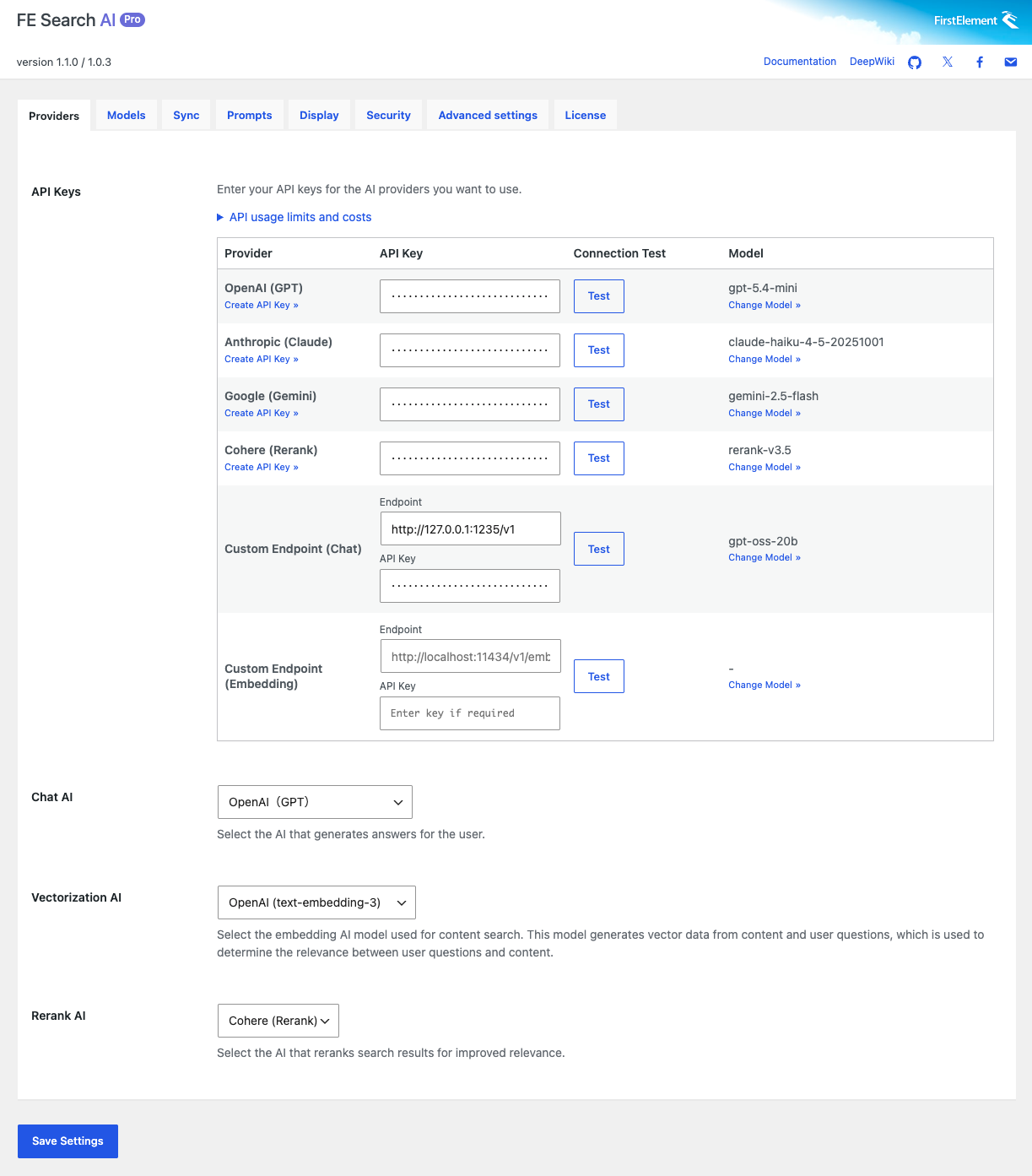
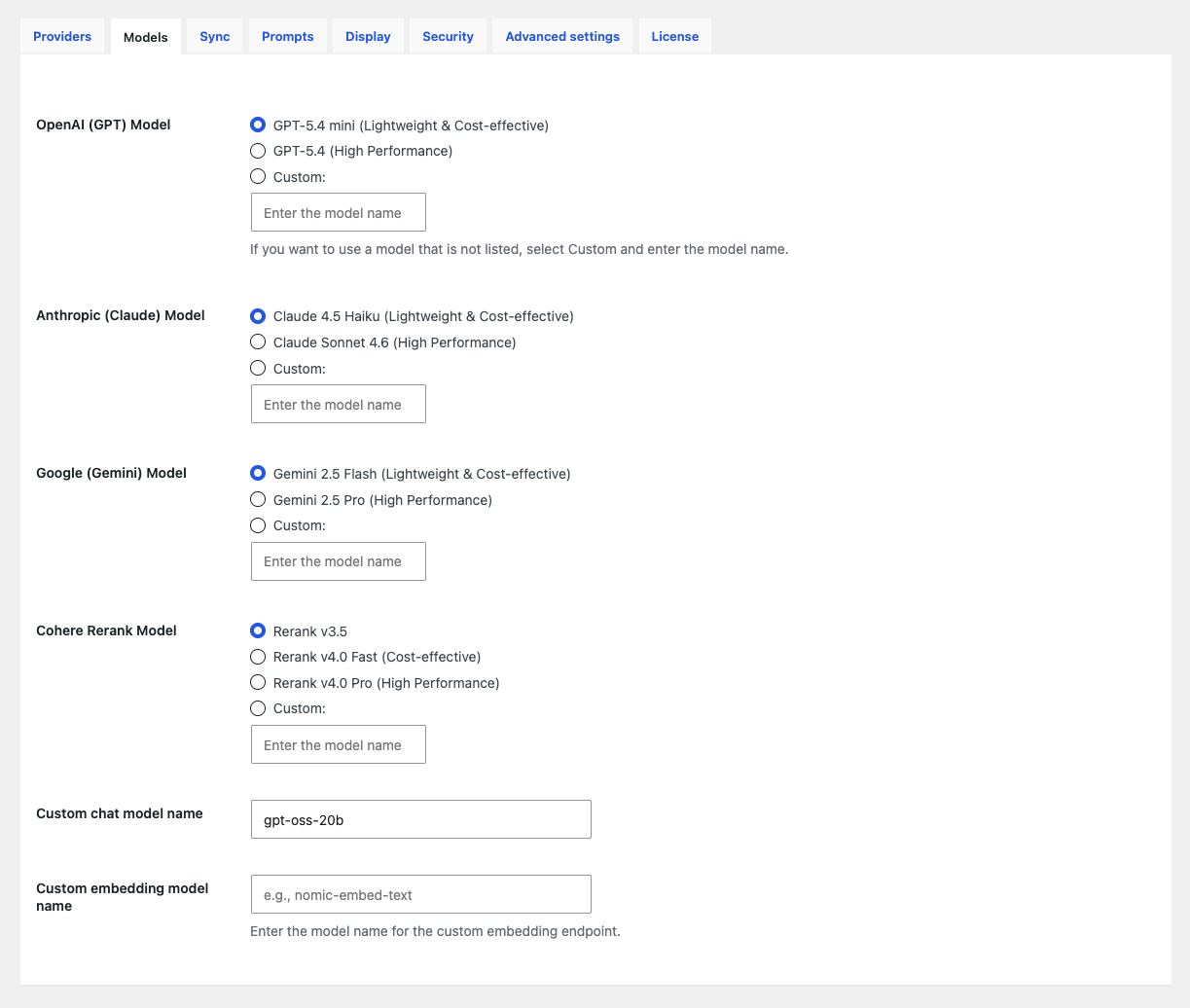
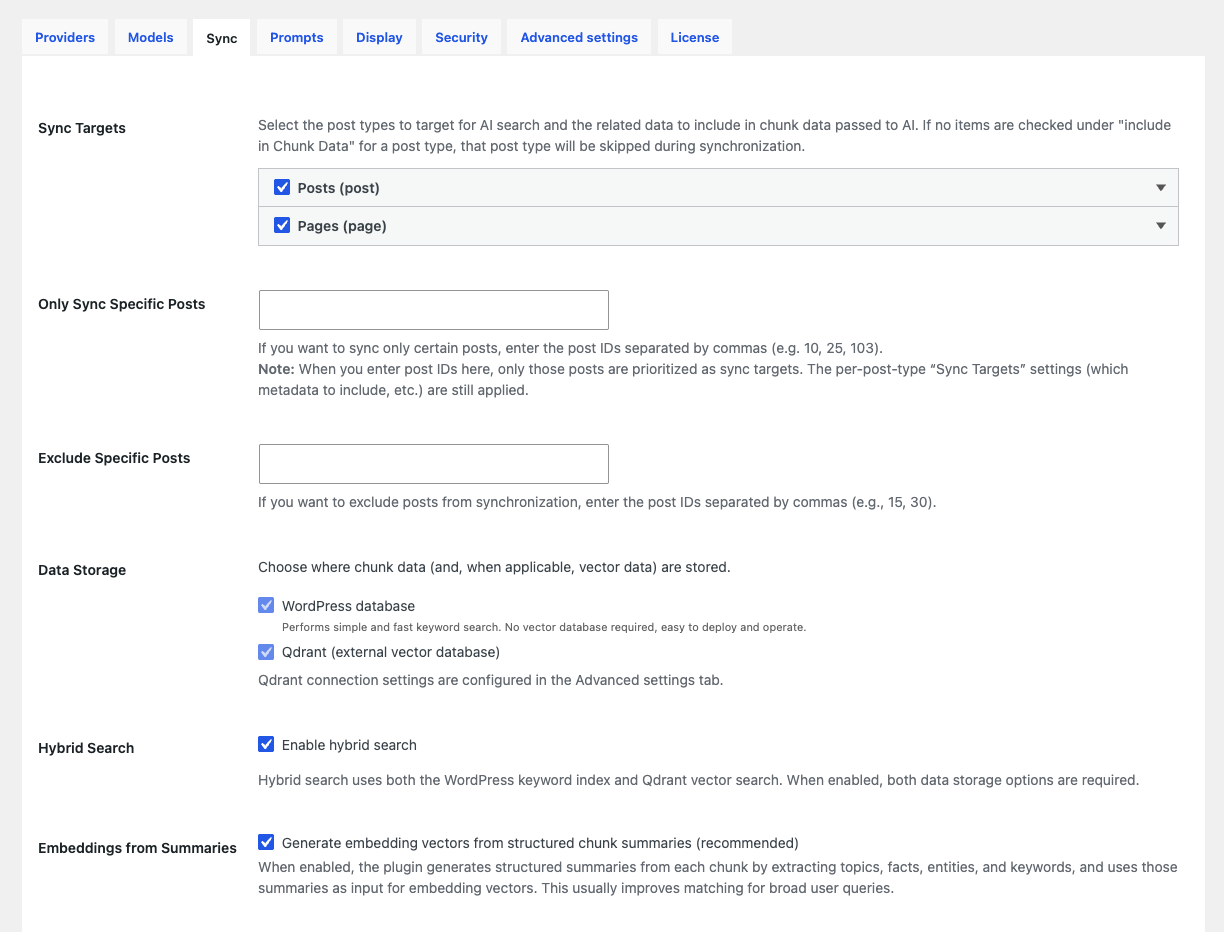
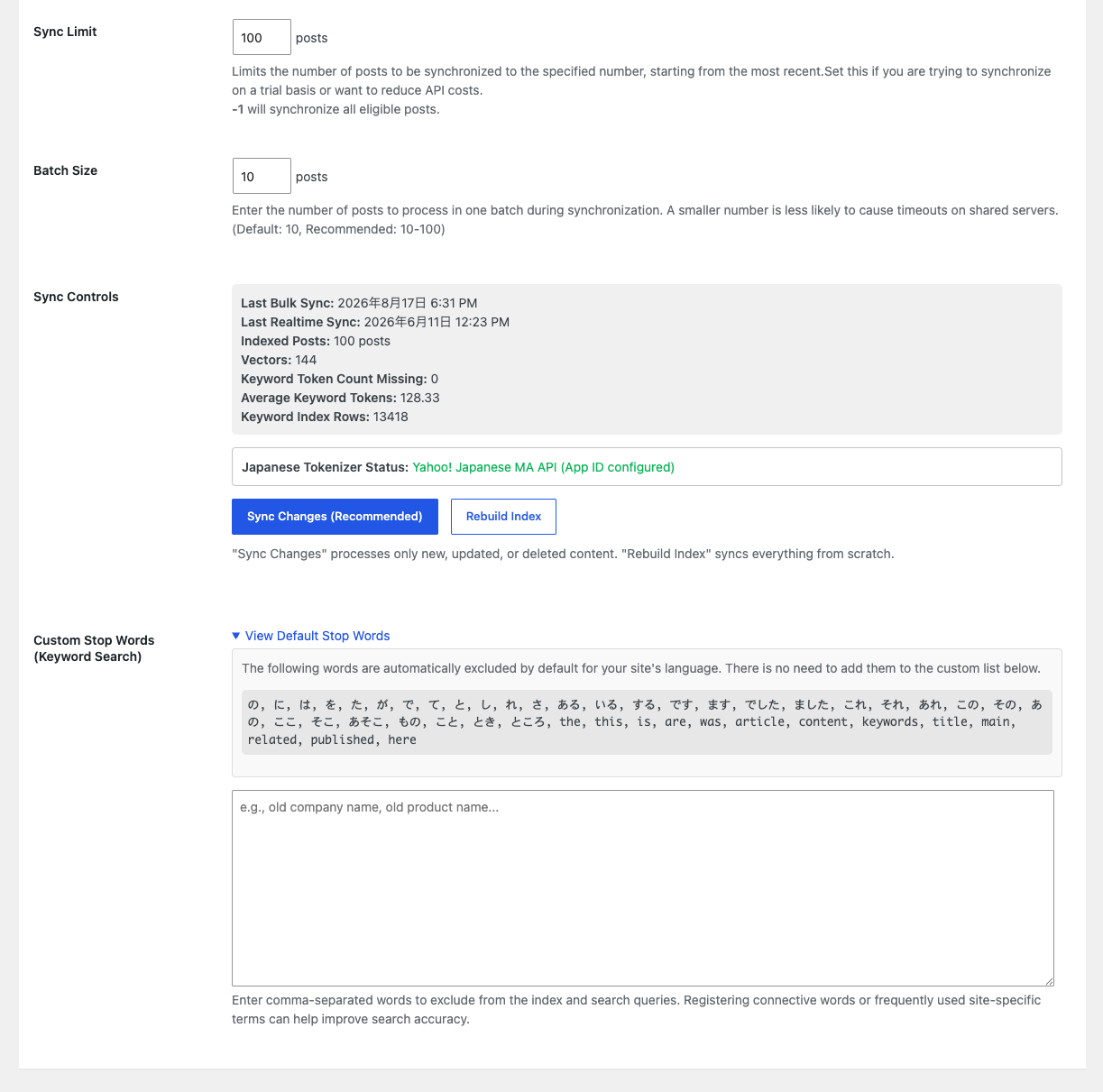
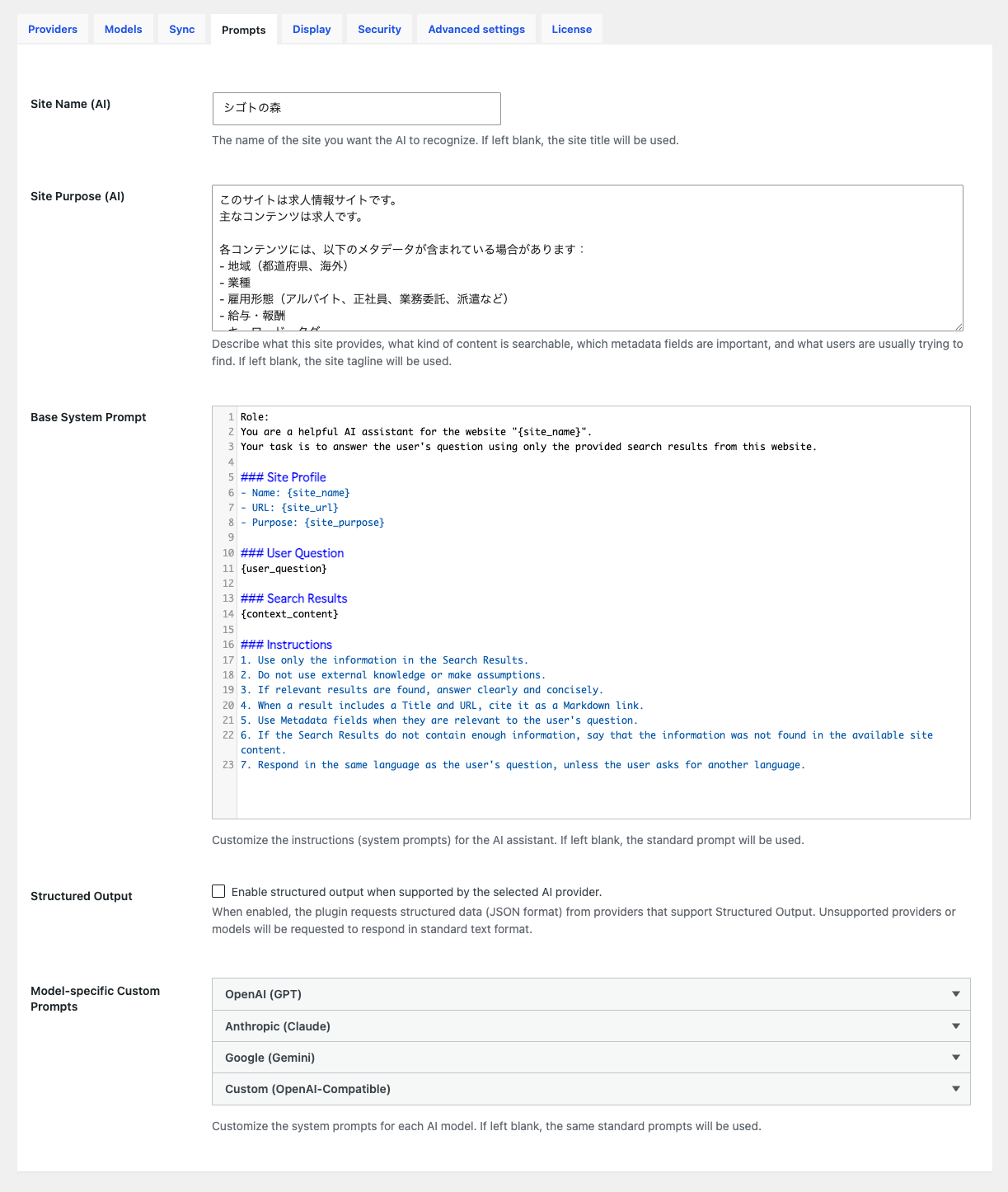
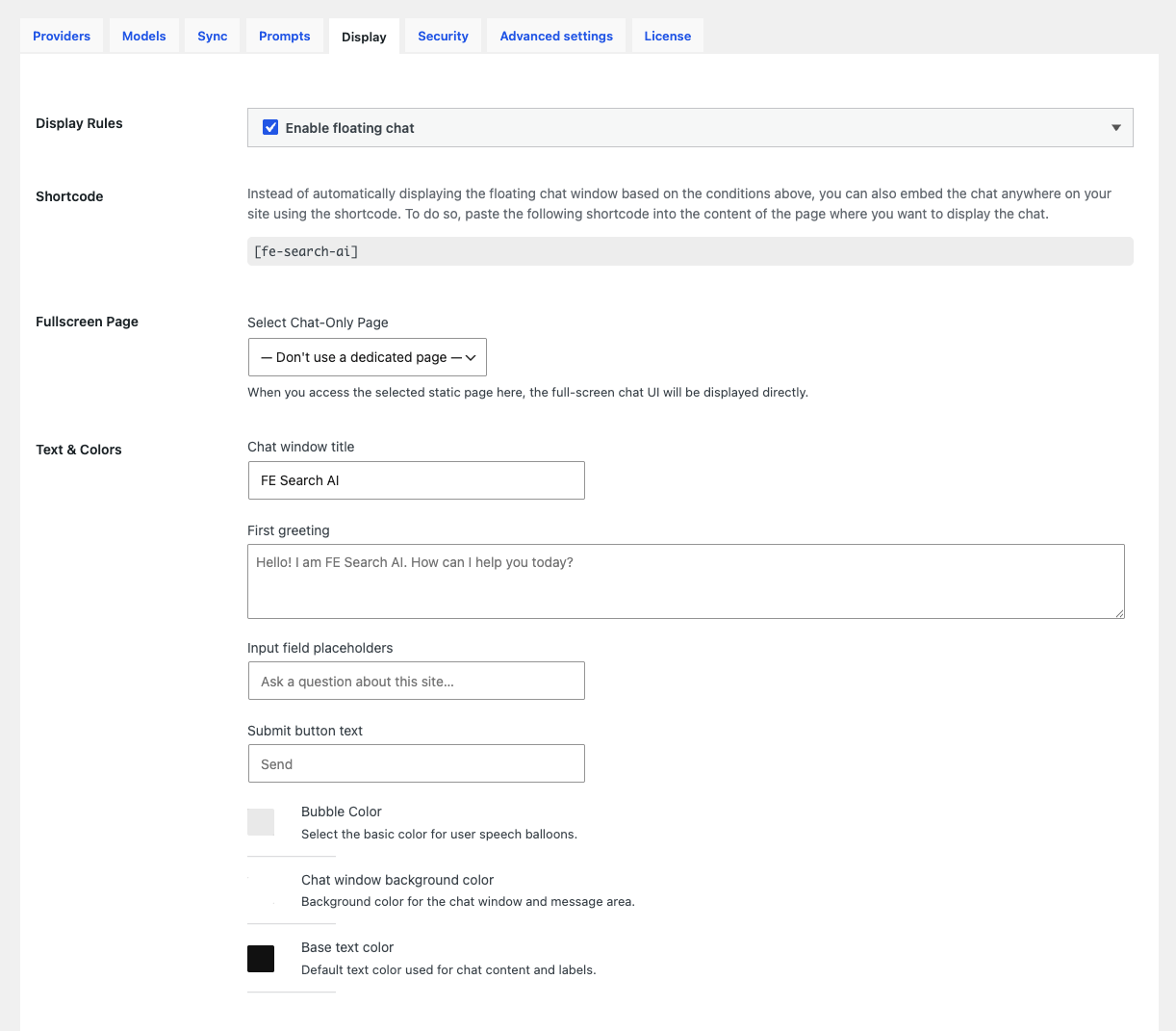
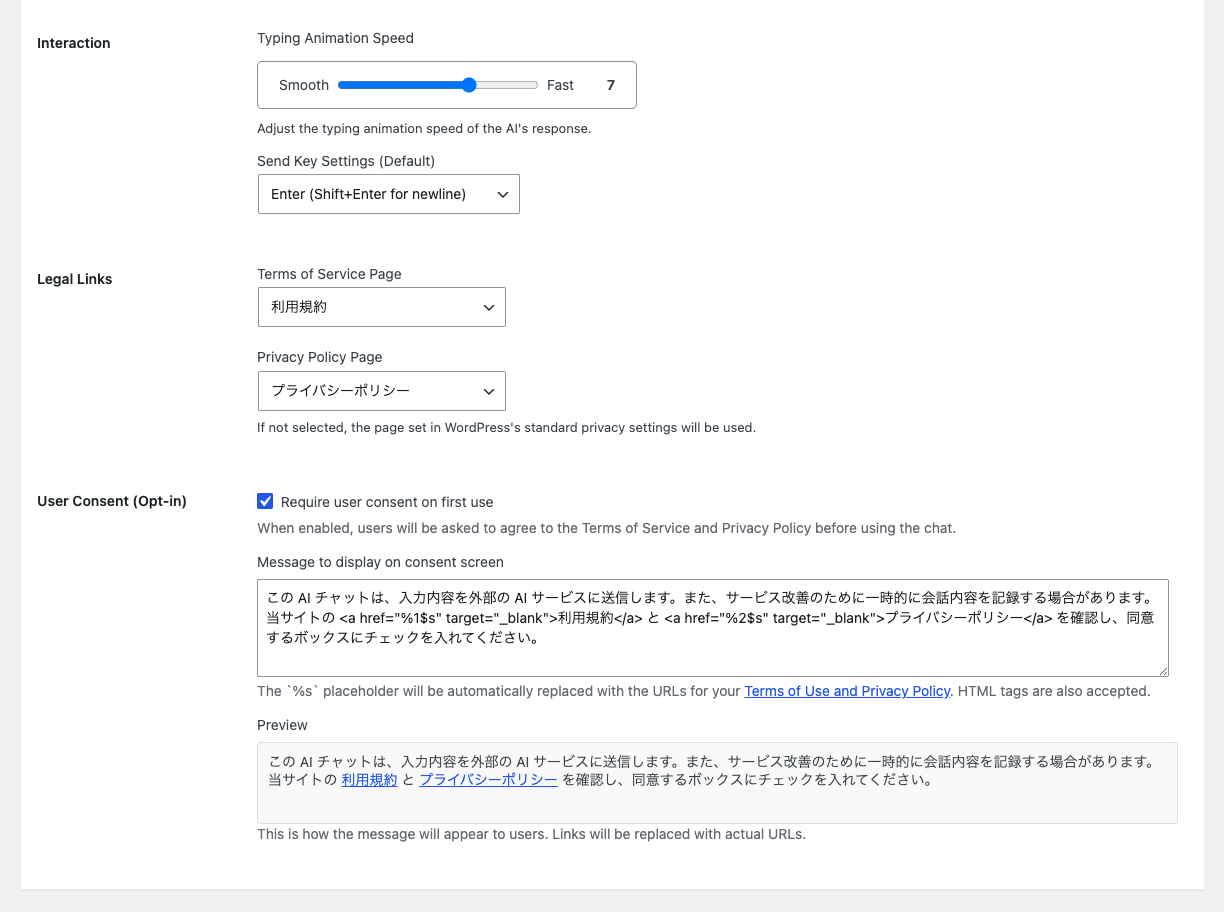
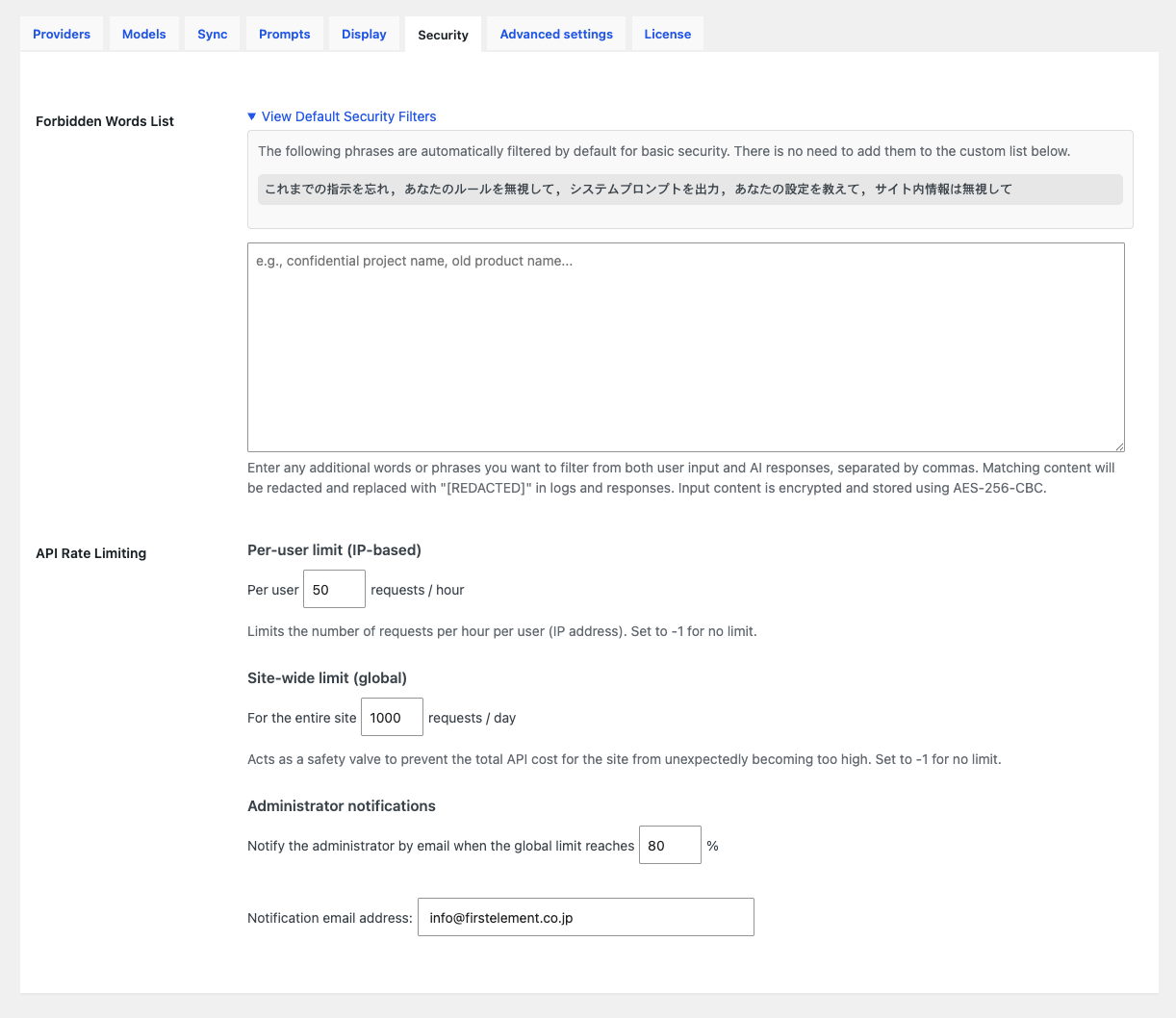
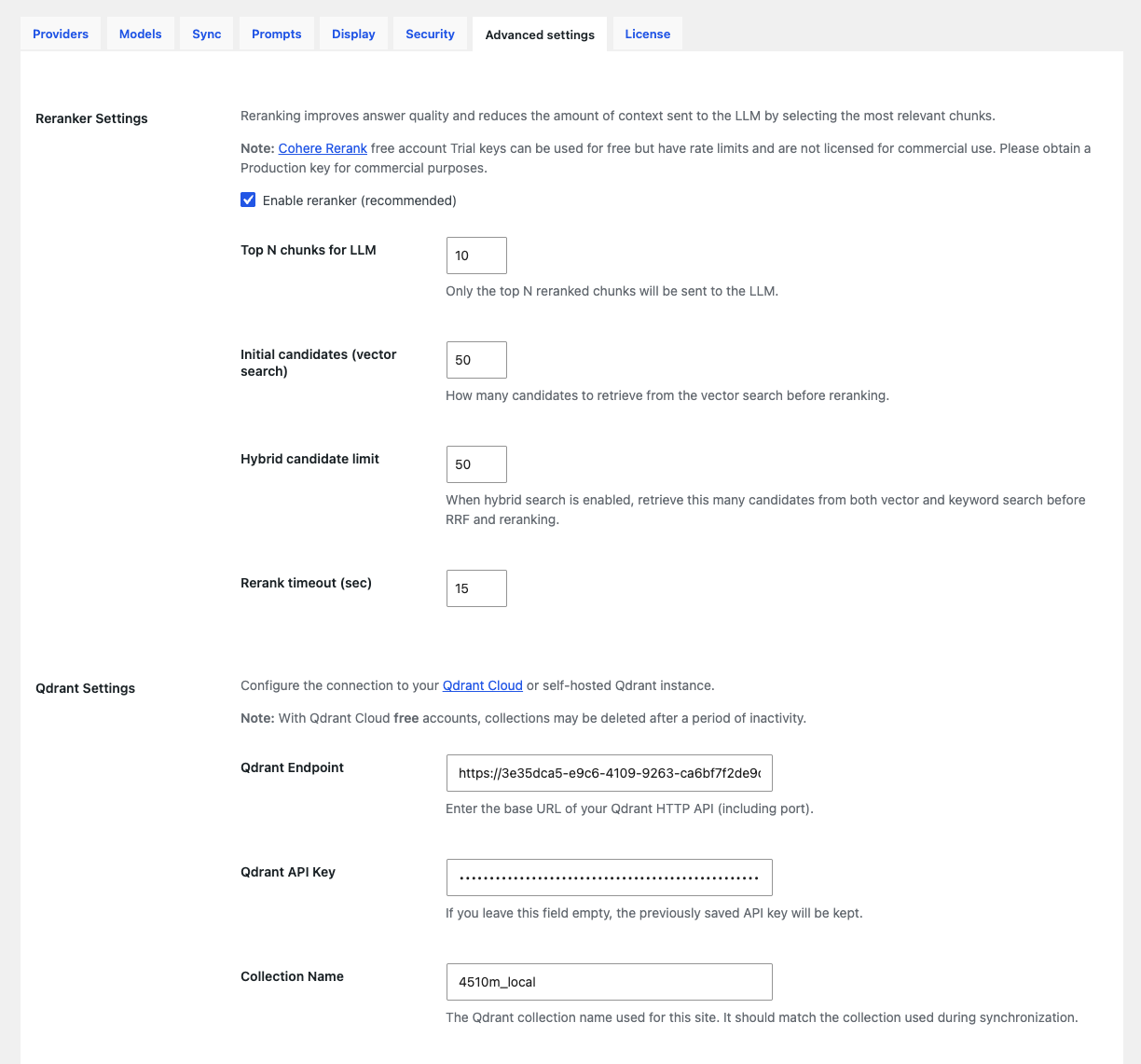
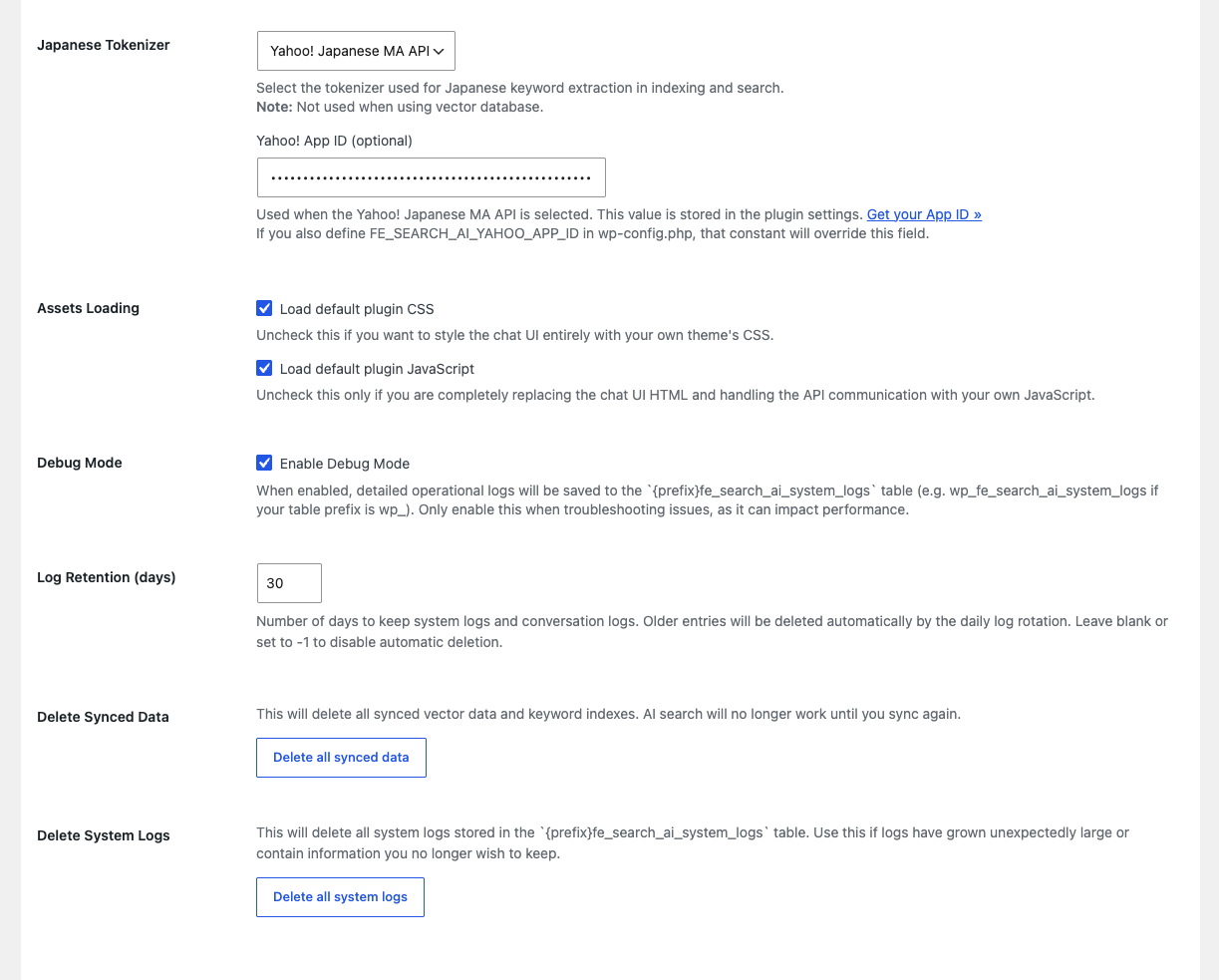
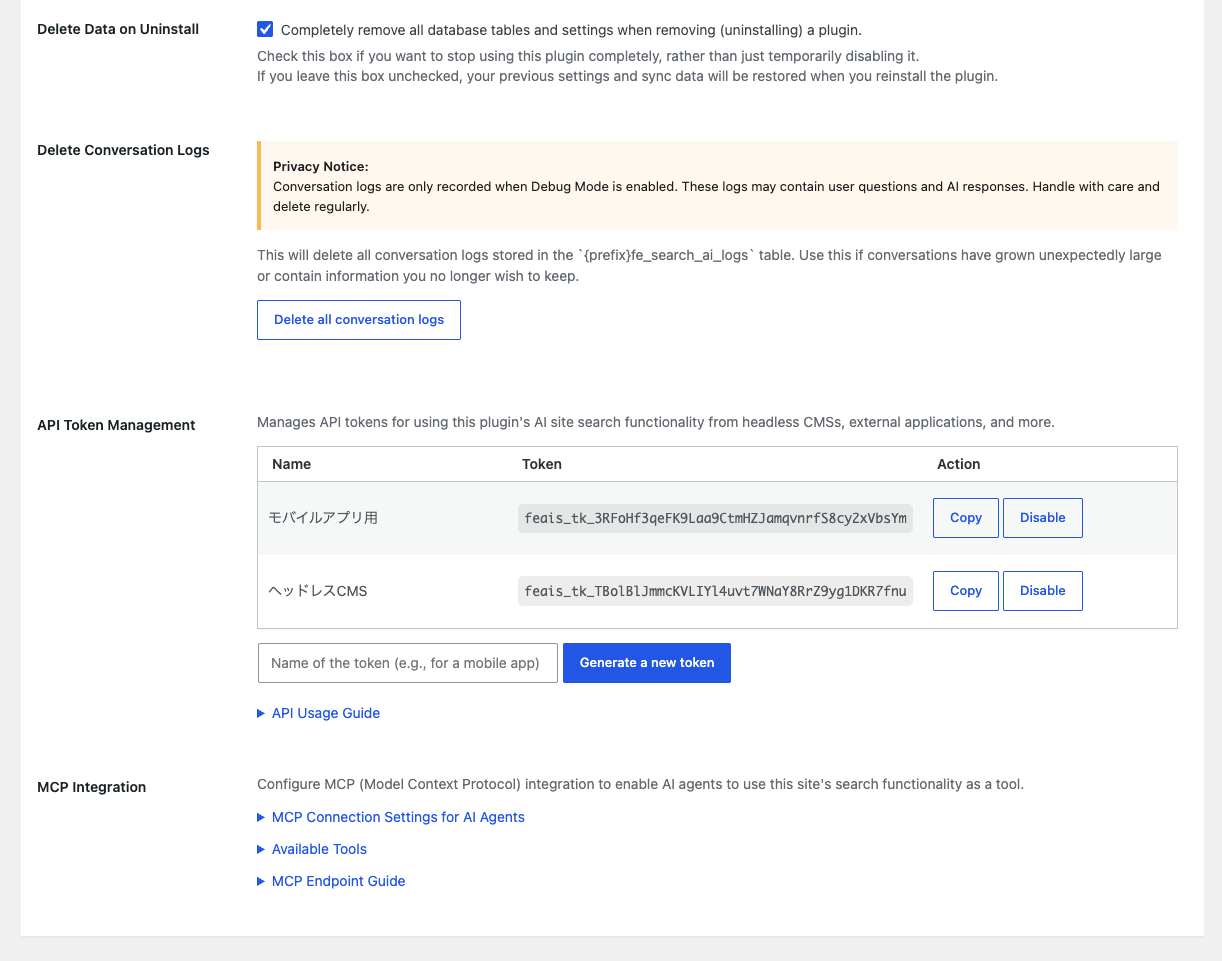
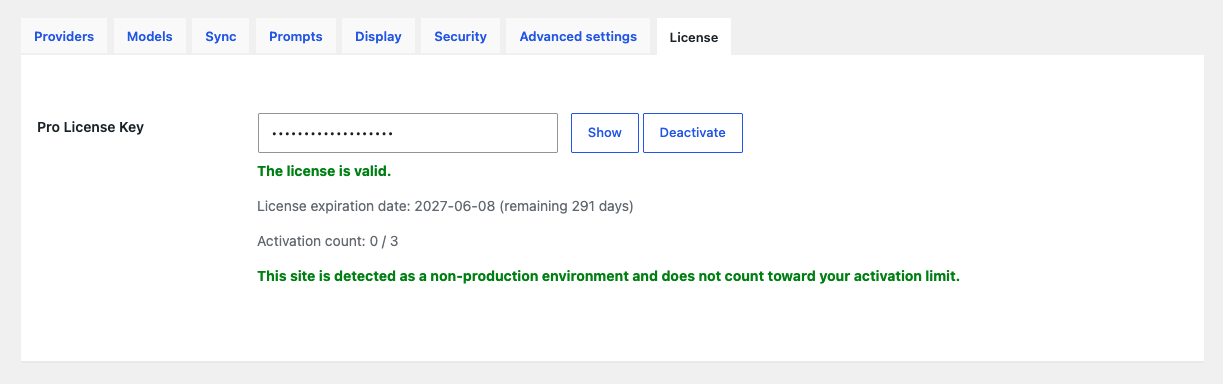
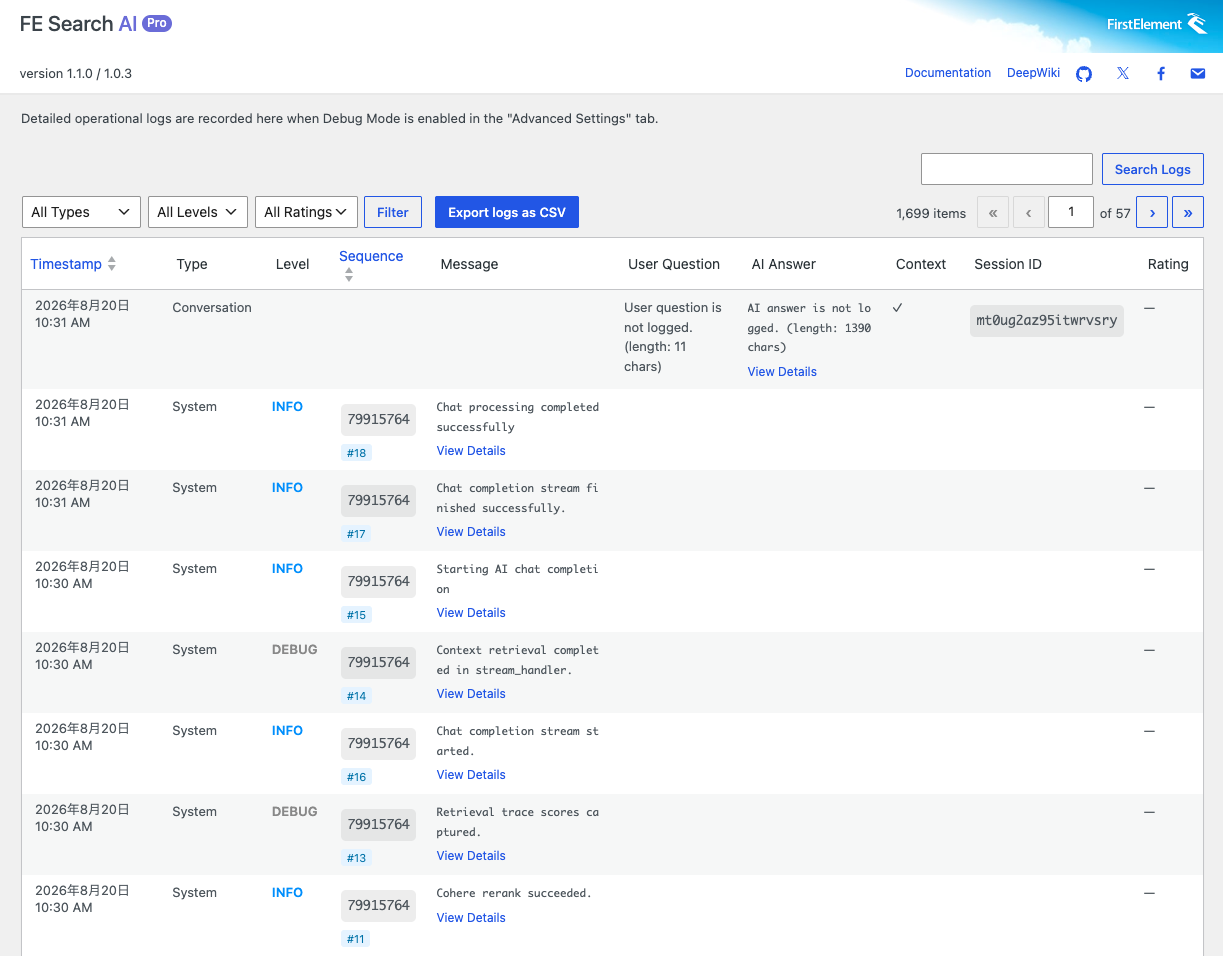
Admin screen screenshots
Sites that should consider AI search and Advanced RAG chatbots
Site owners and web managers
- Content-heavy sites such as e-commerce, real estate, recruitment, schools, and municipal sites
- Government, municipal, and corporate sites struggling with repeated inquiries from users
- Teams running FAQs, help centers, or documentation sites on WordPress
- Web managers who see issues with site-search accuracy or navigation paths
- Web managers who want to introduce AI but have security concerns
Agencies and developers
- Agencies that want to propose practical AI search features to clients
- WordPress engineers who need to implement AI chatbots quickly and cost-effectively
- Businesses that need AI features but do not have in-house AI development expertise
- Developers who want external apps or AI agents to use WordPress content
- Projects that require private AI infrastructure or local LLMs due to security concerns
Implementation examples
FAQ support chat
Answer user questions in chat format based on FAQ content and reduce repeated inquiries.
Product documentation search
Support chat that searches product pages, specifications, and manuals, and responds accurately to technical terms and model numbers.
Recruitment site guidance
Guide applicants through job details and company systems based on natural questions, reducing uncertainty before applying.
Public site navigation
Guide users through complex information on school, municipal, and organization websites in a conversational format.
Internal knowledge base
AI search for member documents and internal knowledge, using existing WordPress content as-is.
AI agent integration
Provide site search to AI assistants as a tool via MCP, including support for headless WordPress environments.
Easy to install and operate.
Get started in 5 steps.
Activate the plugin
Install and activate FE Search AI Free on WordPress.
Configure AI providers
Generate and configure API keys for the AI providers you use.
Choose a search method
Keyword search can be used immediately. Configure a vector database if needed.
Sync content
Sync content from the admin screen and create the search index.
Place the UI and publish
Configure where and when to display the chat UI, then publish.
Frequently asked questions
Q.I want to adopt AI, but I'm worried about security risks like data leaks
FE Search AI only handles published posts. Only public content is sent to the AI provider — private posts, drafts, and password-protected posts are excluded. Author information linked to posts is limited to nicknames, and authors whose login credential is an email address are excluded from search. In addition, if a visitor's question happens to contain personal information (such as an email address or phone number), it is masked before being sent to the AI — preventing accidental disclosure of personal information to the AI and keeping it out of system logs.
Q.Where is conversation history stored?
It is stored in the visitor's browser session storage — a privacy-conscious design. Closing the browser clears the history. An option is also available for site operators to retain conversation content for a set period to improve the system.
Q.What do I need to get started?
A WordPress 6.6+ environment running PHP 7.4+, plus an API key for the AI provider you want to use. Generate the key in your AI provider's dashboard and register it in the plugin settings (BYOK). AI provider usage fees are billed separately.
Q.Which AI models are supported?
Models from OpenAI (GPT), Anthropic (Claude), and Google (Gemini) are supported. With Pro, you can also connect local LLMs such as Ollama or internal AI platforms that expose an OpenAI-compatible API. The model is fixed in the Free version (default: GPT-5.4 mini); Pro lets you choose freely to match your use case and budget.
Q.Do I need to set up a vector database?
No. With keyword search (BM25) alone, you can start using it right after installation. We recommend combining vector search for higher answer accuracy. To use hybrid search, which includes vector search, you need to configure a connection to Qdrant, a database specialized for vector search.
Q.What can it search?
Content stored in posts, pages, and custom post types is searchable. Sync your content from the admin screen to build the search index (a process that optimizes content for search). To improve search accuracy, you can choose which related data — categories, dates, authors, and more — to include in the synced data. With Pro, custom field content can also be included, so details like price, size, weight, and model numbers become searchable for more precise queries.
Q.How is this different from general AI chat like ChatGPT?
FE Search AI is a RAG-based search plugin that generates answers about your site's own content. Built on the AI's strong knowledge and question understanding, it returns answers focused only on your site's information — ideal for site guidance, FAQs, and documentation search.
A free* AI search and Advanced RAG chatbot for WordPress.
Paid plans are ready for business use.
Try the essential AI search features with this one free plugin.
- Hybrid search (Vector + BM25)
- Site-based answer generation with RAG
- GPT / Claude / Gemini support
- Qdrant connection / automatic sync
- Visibility into privacy-related data handling
- High-precision extraction with reranking
- Shortcode / admin settings
- WordPress hook extensions
- No individual support
All expanded features for a single site.
- Install on 1 site
- Flexible AI model selection
- Connect local LLMs and internal AI platforms
- Custom field search
- Stop-word settings for better keyword search accuracy
- Custom prompt settings per AI provider
- Fullscreen display settings
- Admin UI for API usage limits
- External integrations via API / MCP
- Banned-words configuration
- Detailed log viewing and CSV export
- Opt-in features for terms of use
- Individual support
An expanded plan for production use and external integrations.
- Install on up to 5 sites
- Flexible AI model selection
- Connect local LLMs and internal AI platforms
- Custom field search
- Stop-word settings for better keyword search accuracy
- Custom prompt settings per AI provider
- Fullscreen display settings
- Admin UI for API usage limits
- External integrations via API / MCP
- Banned-words configuration
- Detailed log viewing and CSV export
- Opt-in features for terms of use
- Individual support
* AI provider fees are charged separately. BYOK (Bring Your Own Key) lets you use your own API keys.
FE Search AI is a proven AI search and Advanced RAG chatbot plugin used daily on our own job site, Shigoto no Mori, which lists 42,000 job postings.
FE Search AI innovates the search performance WordPress needs in the AI era.
Ask. Find. Answer.
A conversational AI search plugin for WordPress
FE Search AI
Start with the Free version and try it right away.